
Your product is handmade, so no factory ever printed a barcode for it. Google Merchant Center doesn’t know that. It sees a product in a category where products usually have barcodes, flags it Missing value [gtin] under Products>Needs attention, and quietly shows it less often until someone tells it otherwise. Telling it otherwise takes a few minutes in Wix and one rule in the app, and this post walks through it. It also covers the other way a Wix product lands in that row: a resold product whose barcode you typed wrong.
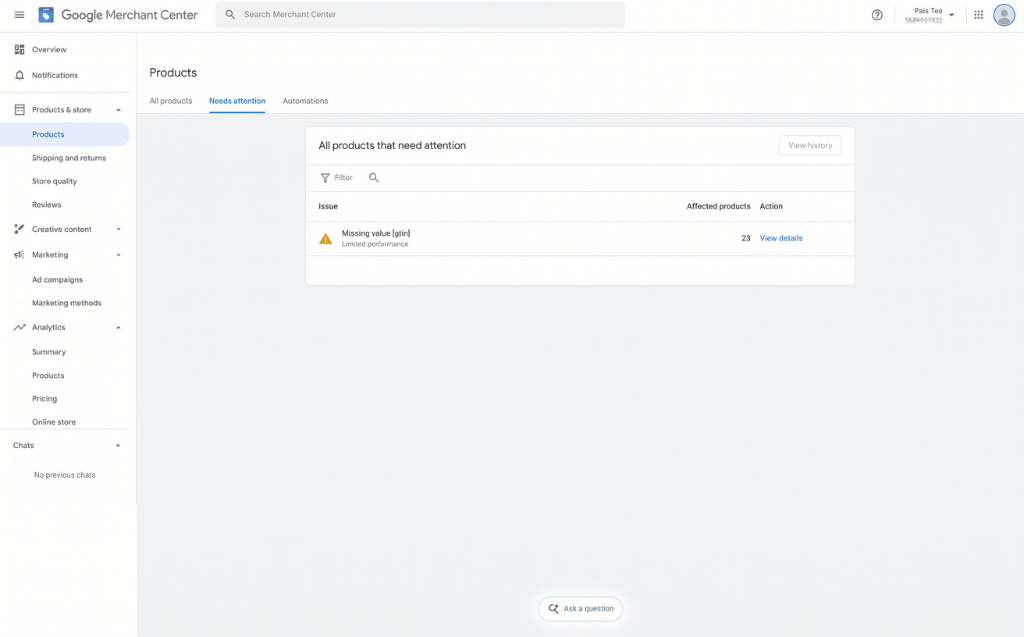
Google flagged the product because it expects a barcode and the feed sent none
Google raises Missing value [gtin] when a product sits in a category where Google expects a GTIN and the product feed, the file the app sends to Google with your products, carried none for it. A GTIN is the number printed under a barcode: 12 digits in North America (a UPC), 13 digits in most other countries (an EAN). Google calls the GTIN recommended rather than required, so a missing one limits how often the product shows instead of disapproving it (Google Merchant Center Help, as of November 2026).
Google’s own issue text names the fix for custom or handmade products: set identifier_exists to ‘false’. identifier_exists is an attribute, one of the fields Google reads, and it tells Google whether a manufacturer assigned the product a code. Two things put a Wix product in this row. You make it, so no barcode exists. Or you resell it and the barcode you typed in Wix failed Google’s format check. Each case has its own section.

If you make the product, tell Google it has no barcode
Google lists custom goods, art and handmade products as items with no assigned identifier. For these, the feed should carry identifier_exists set to false, with the GTIN and the MPN (the manufacturer’s part number) left blank. Set it to false only when you are certain no code exists; a wrong false on a product Google can match to a barcode earns a separate warning (Google Merchant Center Help, as of November 2026).
The check lives in Wix. The declaration lives in the app.
- In Wix, go to Products and open the product.
- In the inventory section, confirm Barcode (GTIN) is empty (Wix Help Center, as of November 2026).
- If the product has product options, click Edit Variants.
- Check the barcode column for each variant. Add the column with Customize column if it is hidden (Wix Help Center, as of November 2026).
- Leave the field empty. A code from a barcode-generator app is not a GTIN, and Google treats it as incorrect.
- In Shopping Channel Sync, open your Google Shopping feed.
- Create a feed rule, an instruction the app applies to every product that matches a condition, that sets identifier_exists to false where Barcode (GTIN) is empty.
- Click Compile.
- Publish the feed, or wait for the next scheduled submission.
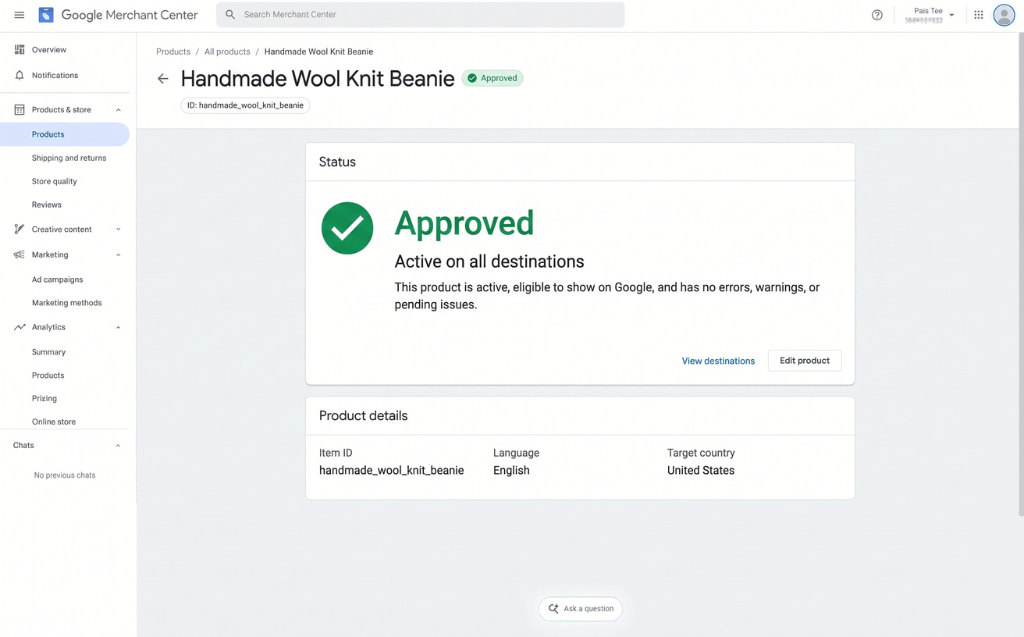
Result: the product leaves the Missing value [gtin] row after the next submission reaches Google. Google states no refresh time for this issue, so allow the submission interval plus Google’s processing. On the previous Wix product page (its first field is Images and videos), the same field sits in the same section.
If you resell the product, fix the barcode you typed in Wix
A barcode with a wrong digit, letters, or the wrong length fails Google’s format check. Google then shows Invalid value [gtin] beside the missing-value row, and the two often appear together (Google Merchant Center Help, as of November 2026). Each size or color variant has its own GTIN (Google Merchant Center Help, as of November 2026).
This fix lives in Wix.
- Read the number printed under the barcode on the product packaging.
- In Wix, go to Products and open the product.
- Retype the number in Barcode (GTIN).
- For products with options, click Edit Variants.
- Correct the barcode for each variant.
- Count the digits: Google accepts 8, 12, 13 or 14.
- Check the last digit with the GS1 check digit calculator Google links from its GTIN page.
- If the number starts with 2, 02 or 04, clear the field; Google reserves that range.
- In Shopping Channel Sync, click Compile on your Google Shopping feed.
Result: the feed publishes on its schedule, and Google says the Needs attention page may take 24 to 72 hours to reflect the change after that.
How to confirm the product is clear
In Google Merchant Center, go to Products > Needs attention and filter by the issue. The product no longer appears in the row. Open the product from All products and the status reads Approved. In Shopping Channel Sync, the Google Merchant Dashboard view shows the same status and issue text Google reports, so you can check from either side.
If the product clears but a new warning appears
A product marked identifier_exists false that Google can match to a known barcode gets Incorrect value: identifier exists [identifier_exists]. Google treats it as a warning, not a disapproval (Google Merchant Center Help, as of November 2026). Find the manufacturer’s GTIN and enter it in Wix, or exclude that product from the rule. A separate post covers that warning.
If you have not connected Google Merchant Center to the app yet, start with the setup post. For anything in the app that does not match this page, contact support through the app.
FAQ
Do I need a GTIN to sell handmade products on Google Shopping from Wix?
No. Google’s identifier guidance lists handmade goods, art and custom products as items with no assigned GTIN and tells sellers to publish identifier_exists as false instead. Leave Barcode (GTIN) empty in Wix and set the rule in Shopping Channel Sync. Google may still show the product with less reach than barcoded products in the same category.
Can I use a barcode generator app from the Wix App Market to fill in the GTIN?
No. Those apps create internal codes for labels and point of sale, not manufacturer-assigned GTINs. Google rejects invented values and may disapprove the product. If the product has no barcode, the correct answer to Google is identifier_exists false.
My product has sizes and colors. Does each one need its own barcode?
Yes, if the product has barcodes at all. Google requires a distinct GTIN per variant, and Wix stores the barcode per variant once you add product options (Wix Help Center, as of November 2026). Open Edit Variants to see and edit each one. Handmade variants with no barcodes stay empty, and the feed rule covers all of them.
Should I fill in Brand and MPN for handmade products instead?
Google allows it: use your store name as the brand and any unique number you choose as the MPN. In Shopping Channel Sync you map MPN from a Wix field yourself under the Mapping tab, since no Wix field maps to MPN on its own. The identifier_exists rule is the shorter path for a small handmade catalog.
How long before the Missing value [gtin] issue disappears after I fix it?
Count two intervals. The app publishes on its schedule, so the fix reaches Google at the next submission. Google then states 24 to 72 hours for an invalid GTIN fix to show on Needs attention and gives no fixed time for the limited performance case. Check the product’s status page after two days before changing anything else.
